GSAP in Webflow: Interactions or custom code?
Updated
Put an animation in Webflow Interactions when someone will adjust it without code: fades, moves, scaling, scroll reveals and scroll-linked motion show up in the Interactions panel, where you can change timing and triggers. Leave it as custom code when it depends on logic the panel cannot express, such as pointer position, pinned sections or custom eases. FlowPaste converts the first kind to Interactions and keeps the rest as custom code in the same paste.
Can you use GSAP in Webflow?
Yes. Since 30 April 2025 GSAP is free in Webflow, plugins included, and Webflow Interactions with GSAP build animations on the canvas without code. For your own GSAP code, turn on the library in your site's Settings panel → GSAP integration and add the script as custom code, which needs a plan that allows custom code.
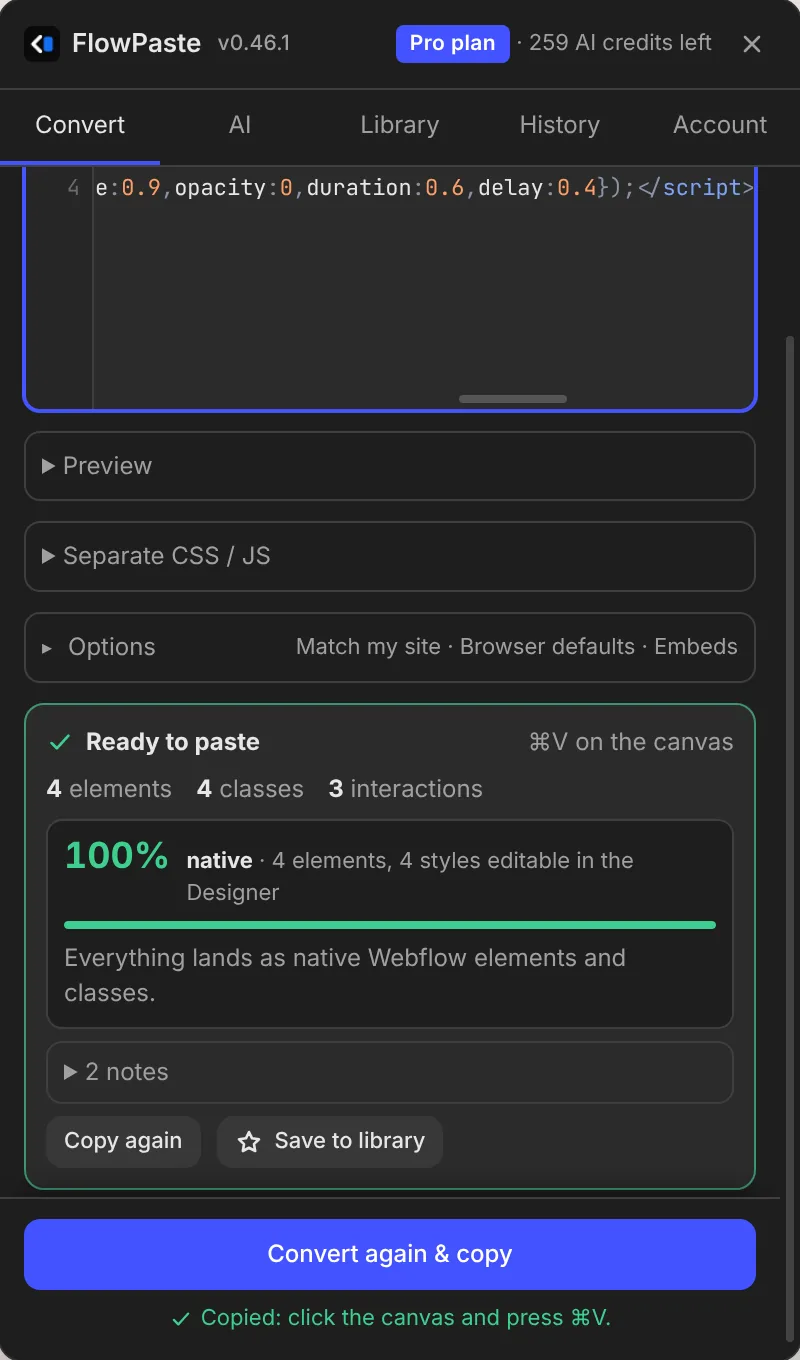
What FlowPaste converts and what stays as code
| GSAP code | In Webflow after the paste |
|---|---|
| gsap.to, gsap.from, gsap.fromTo | A page load interaction |
| scrollTrigger with trigger, start and end | A scroll into view interaction on the trigger element |
| scrub: true | A scroll-linked interaction |
| gsap.timeline with a scrollTrigger and chained steps | One scroll interaction with the steps in order |
| click, mouseenter and mouseleave listeners | Click and hover interactions |
| opacity, x, y and scale | Opacity, Move and Scale actions |
| rotation, color, clip-path and other properties | Custom code |
| pin: true | Custom code (Interactions have no pin) |
| A custom ease | Webflow's default ease, for you to adjust |
| Effects that follow the pointer, such as a 3D tilt | Custom code |
When Interactions are the better home
- A client or another designer will change the timing later and does not write JavaScript.
- You want to see every animation of the page in one panel and not search through script tags.
- The animation is a standard reveal, hover or scroll effect.
When custom code is the better home
- The effect reads the pointer, the scroll speed or other live values.
- You change animations faster by editing code, or by asking an AI tool to edit it, than by clicking through a panel.
- The animation uses properties or plugins the converter does not map.
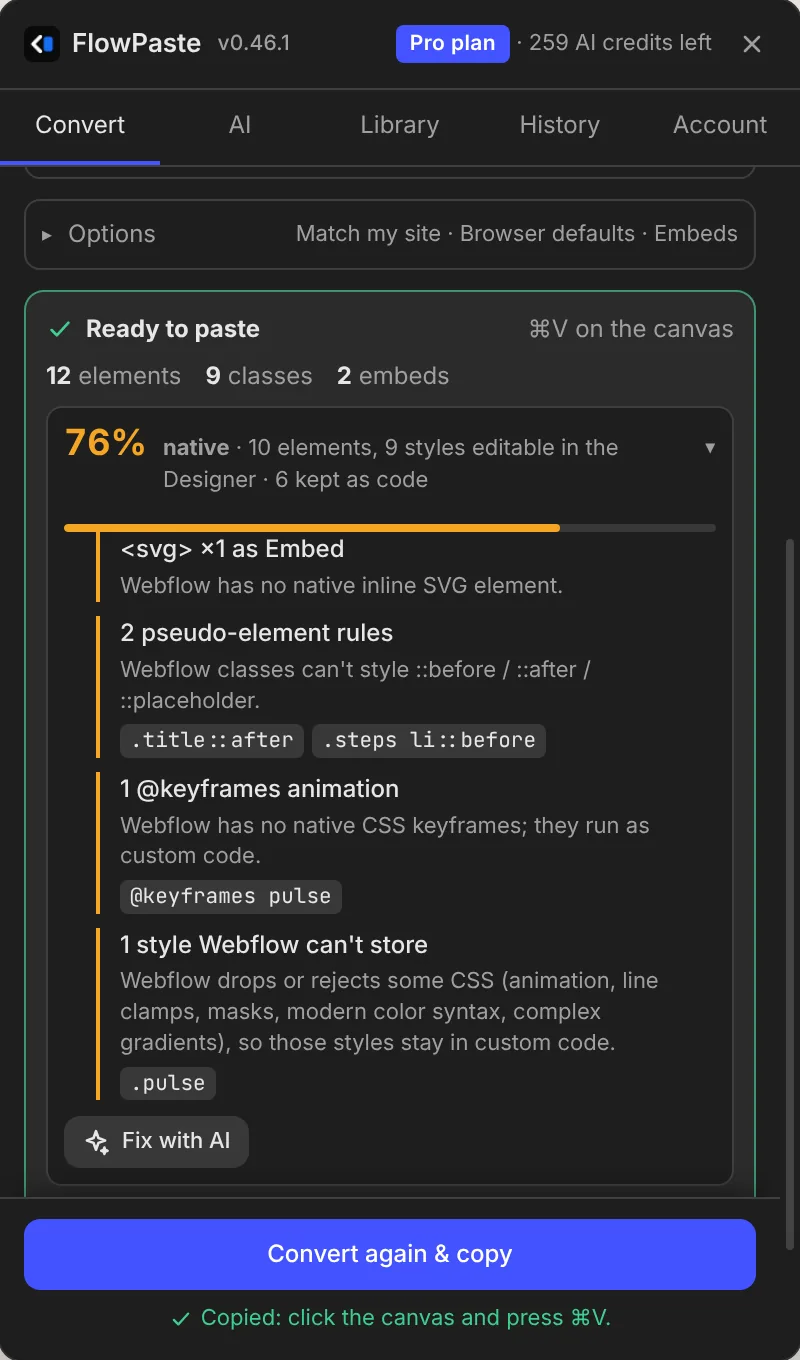
You can mix both in one section
A pasted section can carry converted Interactions and a small script side by side. FlowPaste removes the GSAP CDN script only when no remaining code uses GSAP. Interactions and scripts both run in Preview and on the published site, not on the Designer canvas.
Questions
Can GSAP code be mapped to the Webflow Interactions timeline?
Yes, for the common patterns. FlowPaste turns gsap.to, from and fromTo, ScrollTrigger (with or without scrub), scroll timelines and click or hover listeners into Webflow Interactions that animate opacity, position and scale. Other code stays as custom code.
Is the Webflow Interactions panel still worth using when AI can write GSAP?
It depends on who maintains the site. If you are comfortable in code, editing a script is often faster. If a client or a designer who does not code will retime animations, Interactions let them do it visually.
Does a 3D hover tilt become a Webflow Interaction?
No. A tilt that follows the pointer is driven by live pointer position, so FlowPaste keeps it as custom code. It works on the published site, and you edit it in the code.
Do I need a paid plan for GSAP in Webflow?
GSAP itself is free in Webflow, plugins included, since 30 April 2025. Your own GSAP code is custom code, and Webflow says using GSAP from its CDN needs a Workspace or Site plan that allows custom code. Animations you build in the Interactions panel aren't custom code, which is one more reason to turn GSAP code into Interactions where you can.
Sources
- Webflow Help: Use GSAP in Webflow — free GSAP library and plugins since 30 April 2025; custom code needs a Workspace or Site plan that allows it